|
What is NASLite v1.x Floppy Disk Utility CD-ROM?
The NASLite v1.x Floppy Disk Utility CD-ROM is a bootable, self-contained solution, specifically designed to facilitate the creation
of ready-to-use 1722 kB NASLite v1.x floppy disks. The CD-ROM includes all software, floppy disk images and documentation, required
to make and use all six NASLite v1.x versions.
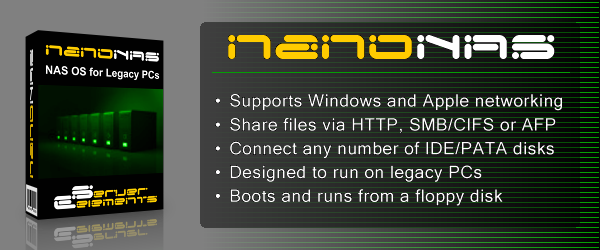
NOTE: For greatly improved performance, unrestricted large file support, extensive status reports as well as native AFP/MDNS (Apple OS X) exports,
try NanoNAS. NanoNAS is a direct replacement for the NASLite floppy disk based operating systems and can be deployed by simply booting your
existing NASLite server with a NanoNAS floppy disk.
Why Use NASLite v1.x Floppy Disk Utility CD-ROM?
If you are planning on operating one or more NASLite v1.x file servers, then this CD-ROM will help you get there.
Whether you are a pro or a novice, if you are serious about using NASLite, then your software collection
should not be without the NASLite v1.x Floppy Disk Utility CD-ROM.
Users with little or no Unix experience can now easily make as many NASLite v1.x floppy disks as they need. The CD-ROM contains the following:
- Self contained, bootable operating system specifically designed for making NASLite v1.x floppy disks.
- Intuitive menu-driven process, ensuring positive results regardless of user skill level.
- Exhaustive checking and verification during software transfer, ensures the integrity of the resulting NASLite v1.x floppy disk.
- All six NASLite v1.x floppy disk versions (FTP, FTPG, NFS, NFSG, SMB and SMBG).
- Complete set of hyperlinked NASLite v1.x manuals in PDF format.
- A template for printing NASLite floppy disk labels (Avery 6490 or equivalent) in PDF format.
The contents of the NASLite v1.x Floppy Disk Utility CD-ROM can be viewed directly in Windows. A browser
and Acrobat Reader is all that is required. Provided autorun is enabled, the CD-ROM interface will
automatically launch.
If you are using Windows NT/2000/XP then you will need this CD-ROM to create
NASLite v1.x floppy disks.
Basic System Requirements
To make NASLite floppy disks, the NASLite v1.x Floppy Disk Utility can be used on an existing computer since the NASLite v1.x Floppy
Disk Utility runs entirely in memory. The basic system requirements are as follows:
- 486DX or better processor
- Bootable ATAPI CD-ROM Drive
- Standard 3.5 inch floppy disk drive
- 16M or more of RAM
- PCI bus
Using The NASLite v1.x Floppy Disk Utility CD-ROM
| Screenshot |
|
Description |
 |
1. |
Boot your computer using the NASLite v1.x Floppy Disk Utility CD-ROM. Note that the configuration and/or contents of your computer will remain intact since the NASLite v1.x Floppy Disk Utility runs entirely in memory. |
 |
2. |
Once the boot process completes, the RAMDisk file system will be initialized and the CD-ROM mounted. Press ENTER to initialize the Floppy Disk Utility Menu. |
 |
3. |
At the Floppy Disk Utility Menu, select the version of the NASLite floppy disk you wish to make and press ENTER. |
 |
4. |
Insert a blank, good quality 3.5 inch floppy disk in the floppy disk drive and press ENTER. |
 |
5. |
The Floppy Disk Utility will format, transfer the software and verify the floppy disk. When finished, you will have a ready-to-use NASLite floppy disk of your choice. |
|
Licensing and Distribution
The NASLite v1.x Floppy Disk Utility CD-ROM is not freely distributable. You can only make backup copies of the
ISO or CD-ROM for your personal use. If you wish to use the CD-ROM simultaneously at multiple locations, multiple copies of the
ISO or the CD-ROM must be purchased from Server Elements.
The NASLite v1.x floppy disks generated using the NASLite v1.x Floppy Disk Utility CD-ROM are freely distributable.
Getting The NASLite v1.x Floppy Disk Utility CD-ROM
Currently, the NASLite v1.x Floppy Disk Utility CD-ROM is available for purchase as a downloadable CD-ROM ISO image file.
| PRODUCT DESCRIPTION |
PRICE |
ORDER |
NASLite v1.x Floppy Disk Utility CD-ROM Downloadable ISO image file (13.13 MB) |
$4.95 |
|
|
IMPORTANT:
Your credit card order will be processed by CEE Network Services using PayPal. Shortly after
your PayPal payment confirmation you will receive an email with complete download instructions.
The instructions will be automatically sent to your PayPal-registered email address or the email
address you provide to PayPal as part of this transaction. Please make sure that the email
address you intend to use is valid and working. All software download orders are final. Thank
you for your support.
Note: To ensure proper delivery of our emails, add sales@serverelements.com to your address book, trusted senderlist or company white list.
|
|
To create a bootable NASLite v1.x Floppy Disk Utility CD-ROM, simply transfer the ISO image file to a blank CD-R using
your CD-R/RW recording software. Refer to your recording software documentation on how to properly create a CD-ROM
from an ISO image file.
|