NASLite-2 HDD
NASLite-2 CDD
NASLite-2 USB
NanoNAS
Product Archive
NASLite Product Comparison
Upgrades and Discounts
COUPON CODE

Server Elements Forums
Links & Media
Documentation
Questions and Comments
Resources
Licensing
Home
 
Would you recommend NASLite to a colleague?

 93.3 %  6.7 %
Based on 5488 votes
Yes  No

Official PayPal Seal
Server Elements is a verified PayPal member
© 2006 Server Elements
All Rights Reserved

What is NanoNAS?

CUSTOMER COMMENTS
I really like your product. I've used NASLite for the last month with great results. I do onsite tech support and think this product would be great for some of my clients.

Dale Hart

$9.95
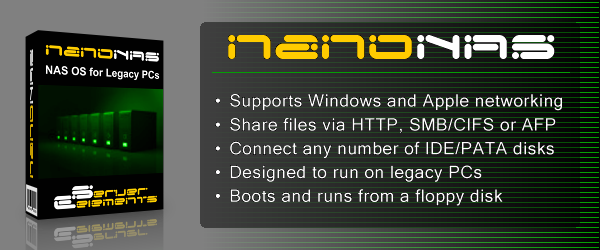
NanoNAS is a Network Attached Storage (NAS) Server Operating System designed to transform a basic computer into a dedicated HTTP, SMB/CIFS or AFP file server. Designed to fit on a single floppy disk, NanoNAS is perhaps the most compact 32-bit NAS OS available. NanoNAS is intended for use in any low-security environment or application that requires the simultaneous availability of large amounts of inexpensive networked storage. A single NanoNAS server is capable of exporting terabytes of networked storage and is capable of handling 50 or more networked users easily and efficiently even when running on modest hardware. By design, NanoNAS is a community workgroup server and does not support features such as user management, disk quotas or the ability to join domains. However, it is very easy to set-up, to administer and to use.

NanoNAS Versions

NanoNAS is available in two versions as follows:
  • NanoNAS SMB – Boots off of and saves configuration settings to floppy disk. Designed primarily for use with WindowsTM clients, it exports all available storage space via SMB/CIFS and HTTP.
  • NanoNAS AFP – Boots off of and saves configuration settings to floppy disk. Designed primarily for use with Apple OS X clients, it exports all available storage space via AFP and HTTP.

Why Use NanoNAS?

NanoNAS is optimized to perform at maximum efficiency with minimum of hardware requirements. Designed with simplicity in mind, NanoNAS is compact, stable and very reliable. NanoNAS boots directly into RAM where it runs in a modestly sized 4MB RAM-Disk. This approach ensures consistent and reliable OS operation. NanoNAS offers the following features and benefits:

  • Easy to operate and to administer
  • Inexpensive to run and maintain
  • Boots directly into RAM
  • Remote administration through TELNET
  • Simple configuration menus
  • Stable and reliable
  • SMB/CIFS and HTTP or AFP and HTTP exported file systems
  • BIOS independent fixed disk drive support
  • Support for IDE (PATA) connected fixed disk drives
  • Support for multiple IDE (PATA) interfaces
  • HTML-based status report pages
  • S.M.A.R.T. support
  • Large partition and file support*
  • Extremely compact in size (Runs in an 4MB RAM Disk)
  • Low hardware requirements
  • Wide range of PCI hardware support
  • (ISA and EISA not supported)
Using readily available inexpensive components, it is not difficult to build a very capable NAS server using NanoNAS. As a network file server, NanoNAS may very well offer the highest possible storage capacity for the money. NanoNAS servers offering multiple Terabytes of storage space can be built for little more than the cost of the necessary fixed disk drives.

For example, with NanoNAS you can take a standard desktop computer, install eight 400GB fixed disk drives, and have a fast, reliable 3.2 Terabyte NAS file server for a very reasonable cost.

The NanoNAS CD-ROM contains all versions of the NanoNAS Operating System as well as the NanoNAS User Manual as a high-resolution hyperlinked PDF file.

The contents of the NanoNAS CD-ROM can be viewed directly in Windows. A browser and Acrobat Reader is all that is required. Provided autorun is enabled, the CD-ROM interface will automatically launch.

A PDF of the NanoNAS User Manual is available for download.

* NOTE: NanoNAS SMB uses a compact version of the SMB/CIFS protocol and as a result can handle files of up-to 4GB in size.

Extensive System Status

NanoNAS provides some of the most complete status reports in its class. Server status is displayed using extensive detail providing a comprehensive snapshot of hardware health and resource usage. Status can be accessed using all active protocols and is made available as a series of HTML pages. Typical examples are shown below:

Status Entry
Server Status
Storage Status
Storage Disk Status
Network Status
System Status
System Log Status
About NanoNAS
Unlock Status

Basic System Requirements

NanoNAS is a network file server operating system, so a fast computer is usually not necessary.

Basic requirements are:

  • Pentium or better processor
  • PCI bus
  • 32M or more of RAM
  • 1 or more fixed disk drives
  • Conventional 3.5 inch floppy disk drive
  • PCI or on-board network interface adapter

For a comprehensive list of supported hardware refer to the NanoNAS Hardware Reference Guide.

Updates and Revisions

The latest NanoNAS release can be acquired using the same download instructions provided during initial purchase. NanoNAS revision history can be found here.

Licensing and Distribution

NanoNAS is not freely distributable. You may only make backup copies for your personal use. If you wish to use NanoNAS simultaneously on multiple computers, multiple copies of the ISO or the CD-ROM must be purchased from Server Elements.

Getting The NanoNAS CD-ROM

Currently, the NanoNAS CD-ROM is available for purchase as a downloadable CD-ROM ISO image file.

PRODUCT DESCRIPTION PRICE ORDER
NanoNAS CD-ROM
Downloadable ISO image file (7 MB)
$9.95
IMPORTANT: Your credit card order will be processed by CEE Network Services using PayPal. Shortly after your PayPal payment confirmation you will receive an email with complete download instructions. The instructions will be automatically sent to your PayPal-registered email address or the email address you provide to PayPal as part of this transaction. Please make sure that the email address you intend to use is valid and working. All software download orders are final. Thank you for your support.

Note: To ensure proper delivery of our emails, add sales@serverelements.com to your address book, trusted senderlist or company white list.

To create a bootable NanoNAS CD-ROM, simply transfer the ISO image file to a blank CD-R using your CD-R/RW recording software. Refer to your recording software documentation on how to properly create a CD-ROM from an ISO image file.